To MusicXML
Selecting this pane will convert the Java beans created in the from-conversion process to a MusicXML file.
Only a database record can be converted to a MusicXML file.
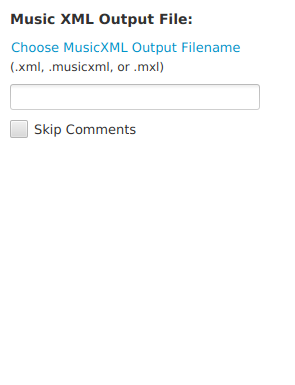
- Select the "Choose MusicXML Output Filename" link to navigate to the output file location, or enter the fully-specified location (location including folder/directory name) in the text box.
- If the output filename has an .mxl extension, a text box will appear for entering the name of the zipped XML filename. Enter a name for the XML file with a .xml or .musicxml file extension (example: myfile.xml).
- Select the "Skip Comments" checkbox to not include XML comments and processing instructions in the output.
Output of an .mxl file is a zipped file containing the XML file having the filename entered into this text box, and a META-INF/container.xml file referencing the XML file.
If XML comments are included in the output, it will take longer to generate the output if there are a lot of comments in the XML document.